Supported Platforms for Links
min read - Updated on Nov 15, 2026Kimola can follow the reviews, comments and posts of a web page in a Feed when the page is a Link on one of seven supported platforms: Amazon, Trustpilot, Trendyol, Hepsiburada, N11, Ekşi Sözlük and Şikayetvar. This article describes what you can track on each platform, which addresses Kimola accepts and where the list appears in the app.
Feeds are included in the paid packages. The Starter package does not include them, and neither does Kimola On-Premises.
You add Links when you create a Feed or later on its Links page. The steps are in Create a Feed and Manage Links. Kimola then collects the new content of those pages into the Feed.
Platforms You Can Track
Each platform below is a different kind of source: product reviews, business reviews, forum discussions and consumer complaints. Paste the address of the page that holds what you want to follow, and Kimola collects its new content into the Feed as records. This list was last checked against the app on November 15, 2026.
Amazon – product reviews from Amazon product pages. Only amazon.com and amazon.co.uk addresses are supported.
Trustpilot – customer reviews of a business, which show how people rate and describe a brand overall.
Trendyol – product reviews from Trendyol, a Turkish e-commerce platform.
Hepsiburada – product reviews from Hepsiburada, a Turkish e-commerce platform.
N11 – product reviews from N11, a Turkish e-commerce platform.
Ekşi Sözlük – entries on a topic page of Ekşi Sözlük, a Turkish community forum where people share opinions on brands, products and current topics.
Şikayetvar – customer complaints about a brand on Şikayetvar, a Turkish consumer complaint platform that shows what frustrates customers and what they expect.
Which Addresses Kimola Accepts
Kimola checks every Link when you add it. The address must be a valid web address, such as amazon.com/my-product, and it must belong to one of the platforms above. An address from any other platform is refused with a message that asks for a URL from a supported platform. An Amazon address on a domain other than amazon.com or amazon.co.uk is refused with its own message, “This Amazon domain is not supported.” A Link that is already in the Feed cannot be added again, and if Kimola cannot fetch the page, it asks you to try again.
For Amazon, only amazon.com and amazon.co.uk Links work.
Where You See the List
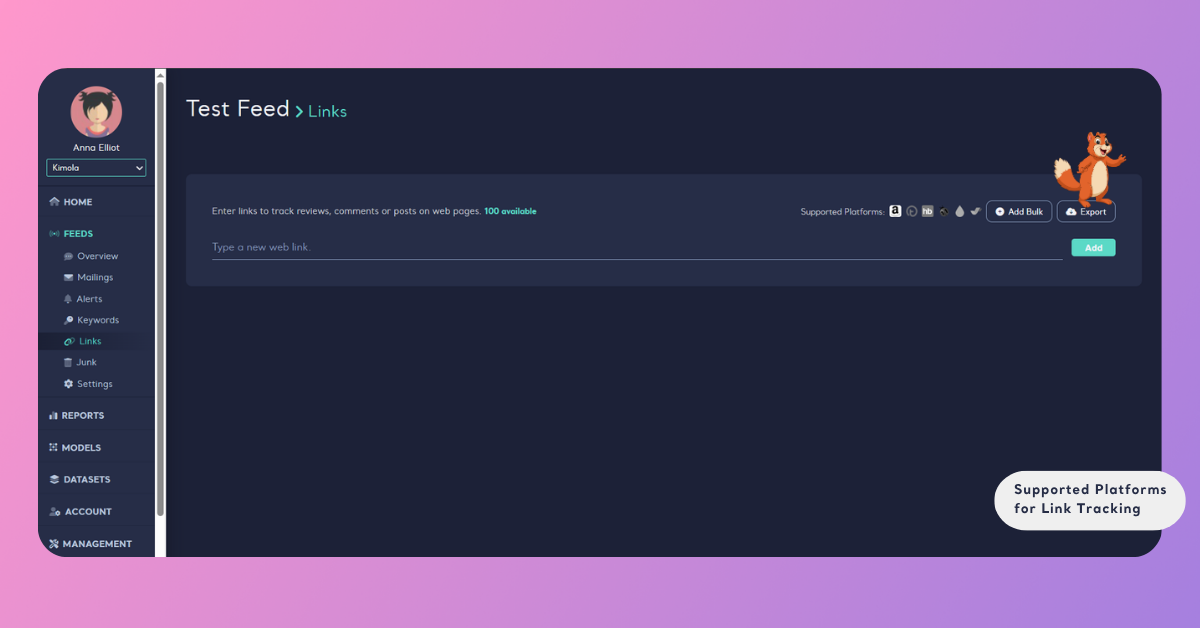
The supported platforms appear as icons after the label Supported Platforms next to the field where you enter a Link: on the Links step of Create a Feed, and in the windows that open with Add New and Add Bulk on the Links page of a Feed. Pointing at an icon shows the name of the platform, and clicking it opens the platform's website.
Once a Feed has Links, its Links page also shows a Platforms panel. It lists the platforms your Links come from, with the number of Links and the share of each platform, so you can see at a glance where the Feed's content originates.
Other Sources
A page from a platform that is not in the list cannot be added as a Link. To follow what people say on other parts of the web, use Keywords in the same Feed. A Keyword searches news and web sites, forums, YouTube and Twitter for a word, phrase or hashtag, and Supported Platforms for Keywords explains what each of them covers. A Link follows one specific page, while a Keyword follows a term wherever it appears, so a Feed that uses both covers the pages you care about and the conversations you did not know about.
A kitchen appliance brand could add the Amazon page and the Trendyol page of its blender as Links, and its brand page on Şikayetvar. The Feed then collects the reviews and the complaints about the blender in one place, and a Keyword such as the blender's model name adds the conversations that happen elsewhere.
Links and Your Package
Every Link counts against the number of Links your package allows. A counter next to the Link field shows how many Links you can still add, and when all of them are in use, the Links page shows a Critical banner with an Upgrade button. The number of Links depends on your package; kimola.com/pricing shows what each package includes.