What is a Mailing?
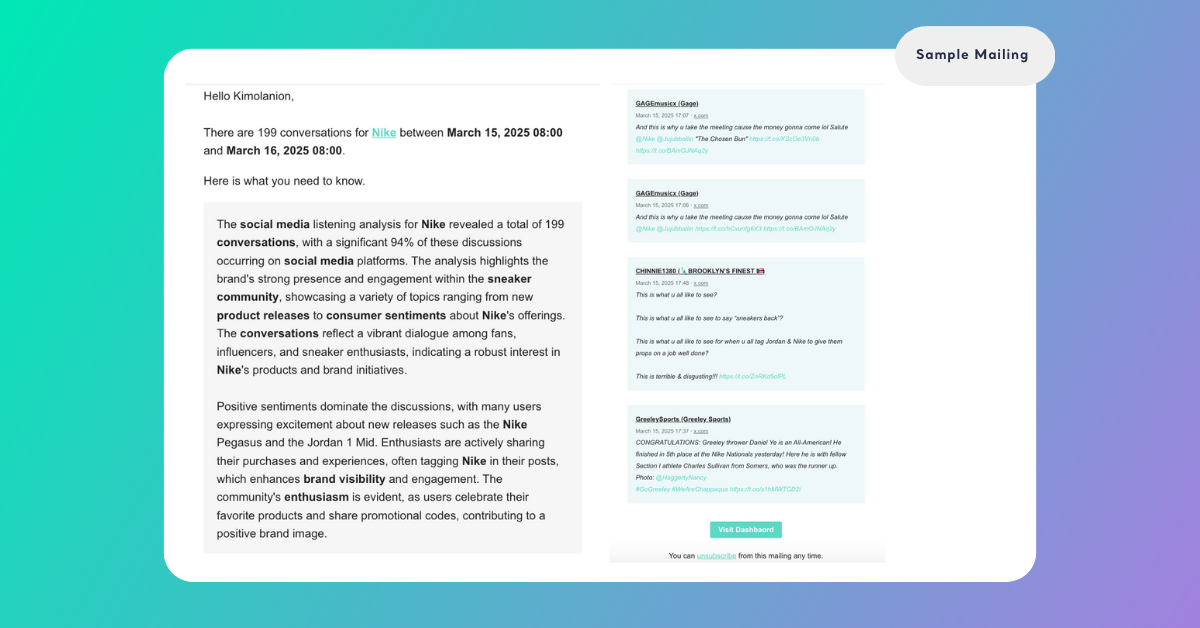
1 min read - Updated on Nov 15, 2026A Mailing is an email that Kimola sends to your team on a schedule with the latest mentions and reviews that a Feed has collected. You choose how often it goes out, which channels it covers and whether it carries every conversation or only the featured ones, so your team keeps up with a Feed without signing in to Kimola.
Why Mailings Matter
Most people on a team do not open a Feed every day, yet many of them need to know what customers and the public are saying. A Mailing brings the Feed's latest mentions and reviews to their inbox at a rhythm you set. It saves manual checking and makes sure new feedback reaches the right people on time.
A Mailing goes out on a schedule, whether or not anything unusual happened. To be told the moment a specific condition is met, such as a keyword, a spike in the number of mentions or a mention by an account with many followers, use an Alert instead.
What a Mailing Contains
A Feed can have more than one Mailing, and each Mailing has its own settings. The settings below decide what an email contains.
Name Every Mailing has a name, such as Daily Mailing or Weekly Report, that helps your team tell Mailings apart.
Channels A Mailing covers All channels or only Social Media, Reviews or Web, the same groups you see on the Feed's Overview page.
Featured mentions With Display Only Featured Mentions selected, the email carries only the featured mentions instead of the full list of conversations.
Excel attachment With Attach a file selected, the email comes with an Excel file that contains all the conversations, which is handy for sharing or for analysis outside Kimola.
Empty mailing With Empty mailing selected, Kimola sends the email even when the Feed has no data for an interval.
For a hotel group, one Mailing sends a daily email to the guest experience team with Display Only Featured Mentions selected. A second Mailing, set to every 7 days, sends management an email with Attach a file selected, so the Excel file arrives with the week's conversations.
How Mailings Work
You set the schedule with an Interval of Minute, Hour or Day, an Increment from 1 to 30 and a Planned Date for the first email. An interval of Day with an increment of 7 sends an email every 7 days. Each Mailing on the list shows its interval, its Last Mailing Date and its Next Mailing Date, so you can see when it last went out and when it goes out next.
The emails go to the team members of your account. A team member who is added to the Unsubscribers of a Mailing stops receiving it and can be subscribed again later. The steps are in Manage Unsubscribers for Mailings.
A Mailing sends email only while its Active option is selected, so clearing it stops the emails without deleting the Mailing.
Create several Mailings on one Feed when different people need different content or a different rhythm.
Where You Find Mailings
Mailings belong to Feeds, which are included in the paid packages; the Starter package does not include them. To open them, sign in, select Feeds in the main menu, open a Feed and click Mailings. A Feed without Mailings shows a Create a Mailing! button, and a Feed with Mailings has a New Mailing button. To create, edit or delete a Mailing, see Manage Mailings.
[Screenshot: The Mailings page of a Feed with one Daily Mailing, showing its interval, last mailing date and next mailing date]