How Insights Are Updated
min read - Updated on Nov 09, 2026Kimola updates the Insights of a Space after every file is classified and whenever a file is taken back. Each update reads the latest records of the Space, decides with fixed rules how every theme and answer moved, and writes a text again only where its evidence moved. Every other text stays as it was. While an update runs, the current texts stay on the page, and every Insight keeps its earlier texts, so you can always see when a text changed and why.
A Space is read again and again by the same team, and a text that changed its wording with every upload would be hard to trust: you couldn't tell a change in the feedback from a change in the writing. So Insights follow the rule described in How Kimola Uses AI for Research. Kimola decides with fixed rules what is written, which records each text reads and how each theme or answer moved. An AI model only writes the words, from what was already decided and counted. When an Insight's text changes, something in its feedback changed.
Insights are available in the Enterprise package and in Kimola On-Premises. To follow an update, sign in to Kimola and open a Space that already has Insights. Add another file to see how Kimola updates those Insights once the file is classified.
If you don’t have a Space yet, see Create a Space. If your Space has no files yet, see Add Files to a Space and wait for Kimola to classify the first file and write the initial Insights.
After Every New File
An update starts when a file of the Space is classified, after the Space's Signals run again. It also starts when you take back a file: the Insights are written again in the background without the file's records, so they read as if the file had never been uploaded. When the last file of a Space is taken back, there are no records left to read and the Space has no Insights until a new file is classified.
The "latest files" of an update are every file classified since the last completed update. When you add several files close together, a newer update replaces one that is still running, and it reads all of those files together. A file counts only once it is classified; a file still being classified is not part of any update yet.
When Kimola improves how Insights are written, every text of the Space is written again once with the next update. Its earlier texts say so: "Written again by a newer version of the writer".
What Each Update Writes
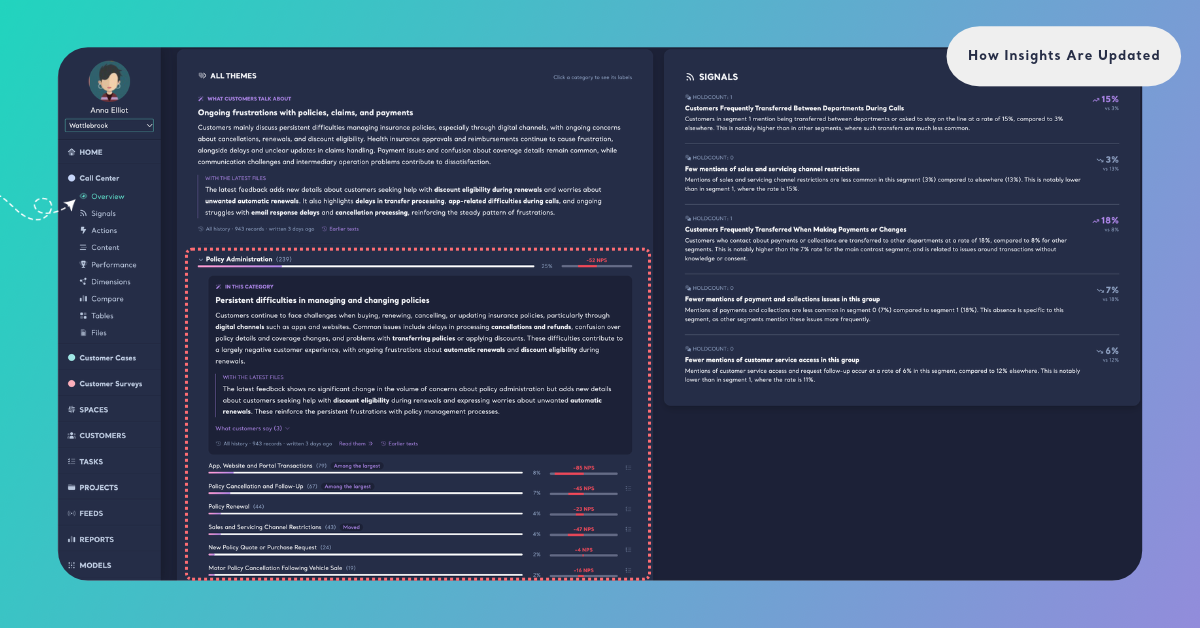
Every update covers the same levels of the Space, so the texts on the page always belong to the same update and read the same records. Each text says what the feedback says now. When the latest files can be compared with the records before them, the text also has a With the latest files paragraph on what they changed.
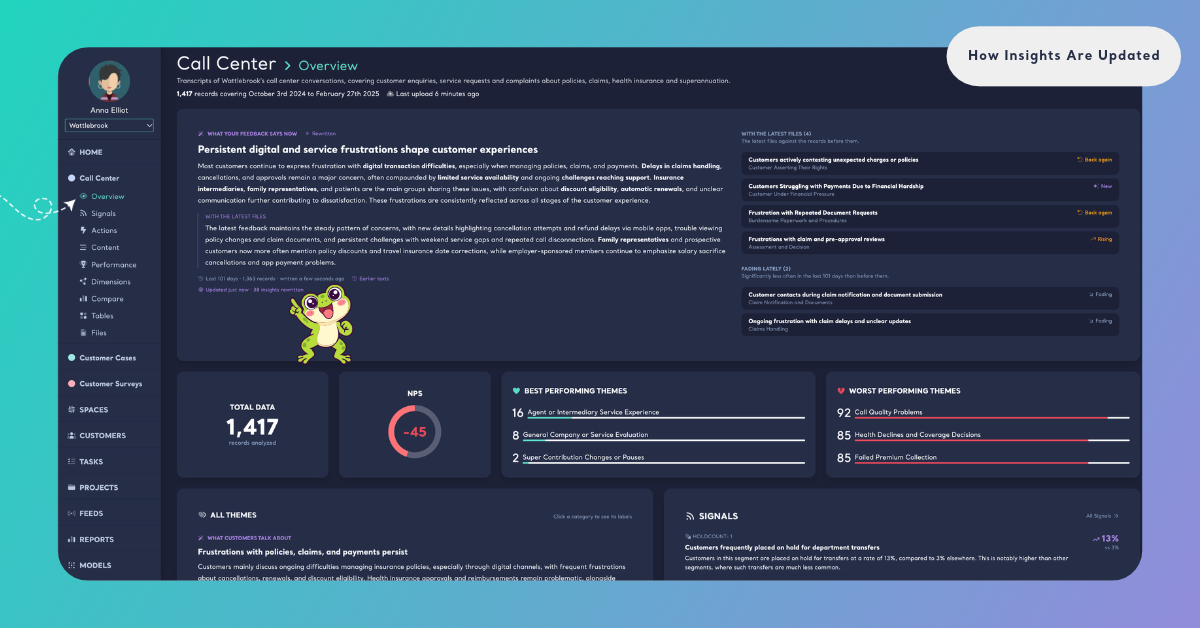
The whole Space. What your feedback says now, at the top of Overview, is written from the Space's Dimensions and themes.
The content classifier. What customers talk about, on top of All Themes, tells what the themes say together.
Categories. Each category of themes gets its own text, In this category, written from its own records.
Themes. A content classifier can have many themes, so Kimola chooses which ones get an About this theme text: the largest themes, the ones that moved, the most dissatisfied, the ones with an open Task and the ones your team follows. The chips on a theme row say why it was chosen: Among the largest, Moved, Most dissatisfied, Open task and Followed. A theme your team follows is written by every update. A theme with no text offers Summarize this, which writes it on the records of the latest update and keeps it until the next one, with the chip Summarized on demand. See Follow and Summarize Themes.
Dimensions and their answers. An answer of a Dimension gets a Why they answer so text when at least 10 of the latest records give it. A Dimension with such an answer gets a What the answers say text, written over its answers.
Which Records an Insight Reads
Every Insight of a Space reads the same records: its window. The window is the latest records of the Space, counted back from the date of the most recent record until it holds at least 1,000 records and covers at least 30 days. A Space with fewer records is read whole. The dates are the records' own dates, from the Date column chosen with the first file.
For an insurer's call center Space, a file of last month's calls is read as last month's feedback, whenever it was uploaded.
The two limits each have a reason. The 1,000 records keep a small theme visible: 2% of 1,000 records is still about 20 pieces of feedback. The 30 days keep a busy Space from describing only its last few days. And because a Space has one window, all of its texts read the same records and can be compared with each other.
Under every text, a line shows its window and when the text was written: "Last 47 days · 3,240 records · written 2 hours ago". Hover over it to see the dates. When the Space is read whole, the line starts with "All history".
The numbers next to a text are always the window's. They never come from the filters you set on a page. When you filter the Dimensions page, its own numbers change and the Insights stay as they are, with the note "The insights read the space's latest records, not the filters above."
What the Latest Files Are Compared With
To tell how a theme or an answer moved, Kimola compares the records of the latest files with the records that came before them. The records before them are read with the same window rule. The latest files are not compared with what is left of the current window, because new files can fill most of it.
Written Again Only Where the Evidence Moved
After every update, Kimola checks each text against its evidence. A text is written again only for one of these reasons, and Earlier texts shows the reason in these words:
- Its first text. The theme or answer had no text before.
- Written again: it moved significantly with the latest files. Its share in the latest files differs significantly from its share in the records before them.
- Written again: its trend changed. It has another trend than the one its text was written with, for example Rising after New.
- Written again: its share drifted from the one it was written from. Small changes over several files added up, and its share is no longer the one the text was written from.
- Written again: half of its records were new. Half of the records it reads arrived after the text was written.
- Written again with its answers. A Dimension's text, or the Space's text, is written again when the texts under it changed.
- Written again by a newer version of the writer. Kimola improved how Insights are written.
When none of these apply, the previous text is kept. A rewritten text is written with the previous one in view, so its wording stays where it still holds and changes where the feedback changed. If the latest update couldn't write a text again, the previous text stays in place and its window line adds "· not rewritten with the latest files".
How a Change Is Tested
Kimola calls a change only when it is statistically significant and there are enough records on both sides to test it. When too few records came before the latest files, a text says "Too few records came before the latest files to tell how this theme moved with them." Kimola claims no change without that comparison.
A theme or answer that moved carries a trend: New, Back again, Rising, Falling or Fading. See What is an Insight? for what each means.
The ▲ and ▼ badges "since the last upload" on the Dimensions page use the same test as the Insights, so a badge and an answer's text never disagree. The texts themselves carry no numbers: every share and count is shown from the data next to the text, so a figure in a sentence can never drift from the figure on the page.
While an Update Is Running
An update takes some time, and the page never goes empty while it runs. The current texts stay on Overview and Dimensions, with a strip that shows the progress: "Updating the insights with the latest files · 40%".
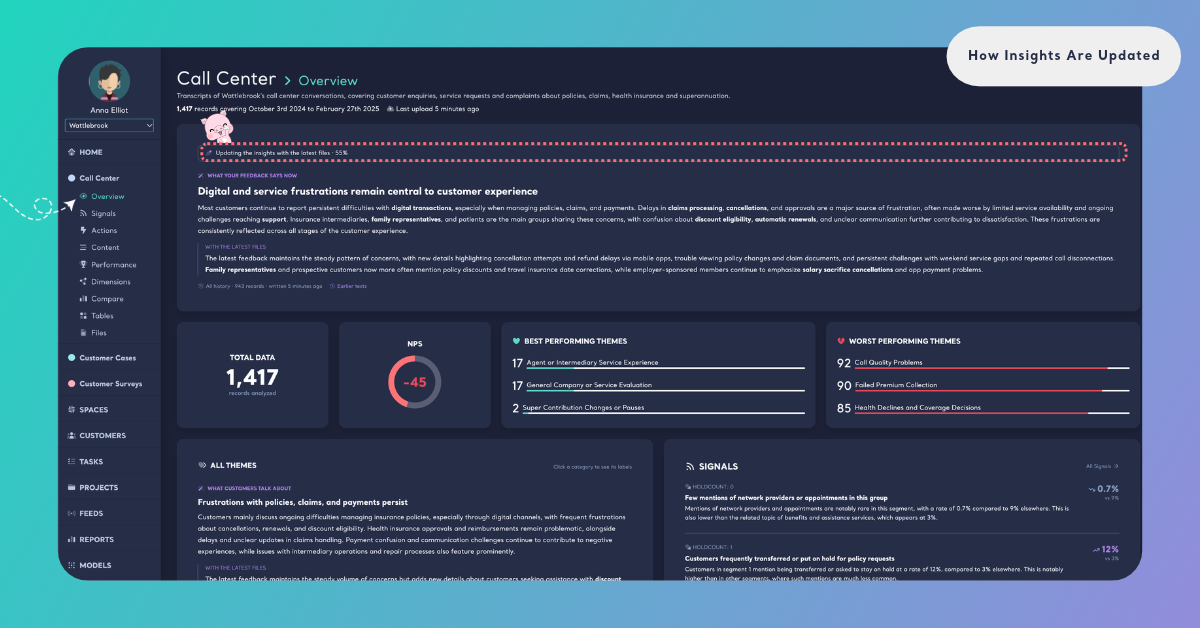
When the update completes, the page says "Updated just now · 5 insights rewritten", or "Updated just now" when every text was kept. Each text that changed is marked Rewritten ("Rewritten by the run that completed while this page was open"). You don't need to reload the page.
While an update runs, a theme can't be summarized. Summarize this says "The insights are being updated with the latest files; try again in a few minutes."
Earlier Texts
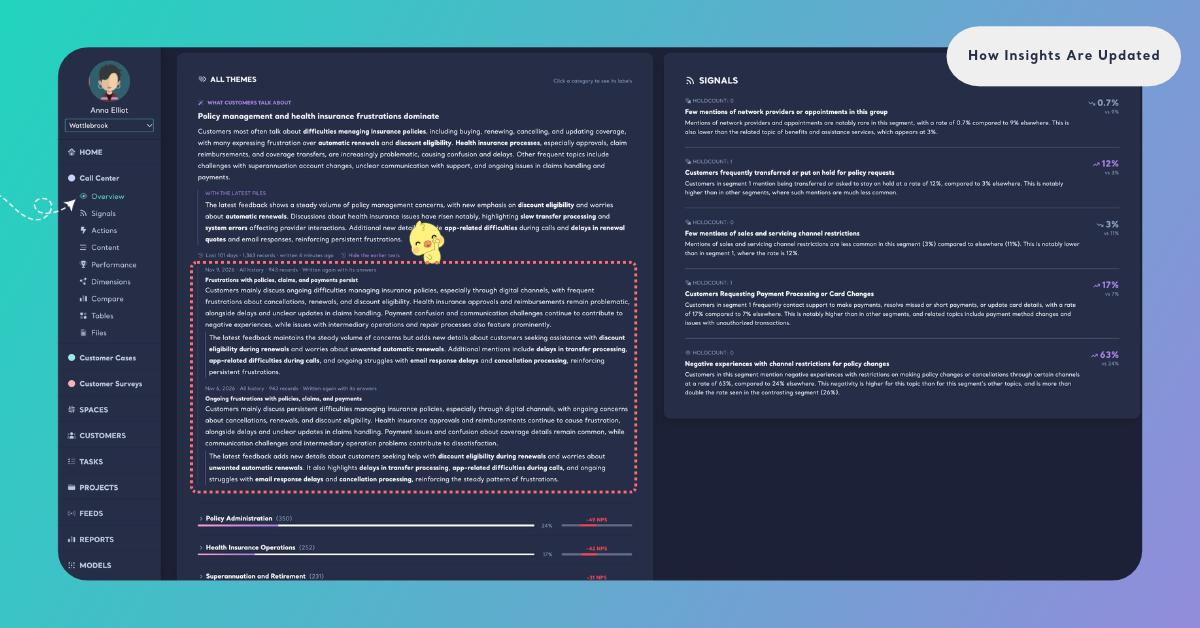
Every Insight keeps the texts it had before. Click Earlier texts under a text to open them, and Hide the earlier texts to close them. Each earlier text shows its date, its window and why it was written again, for example "Written again: it moved significantly with the latest files". The first text of an Insight says "No earlier text: this is the first one written."
Earlier texts show how the reading of a theme or an answer changed over time, and which files changed it.
Use earlier texts to check when a pain point first appeared, or whether a theme that is Rising now was rising before.
The First Insights of a Space
A Space gets its first Insights after its first file is classified. Until they are written, Overview and Dimensions say "The insights of this space are being written for the first time. They will be here when they are ready, without reloading the page." The page checks by itself and shows the texts as soon as they are ready.
On a Space's first update, the latest file is compared with the files before it, the same way the Space's pages compare the last upload. Every theme and answer of the first update is New, because none of them was among the Insights before. A Space with a single file has no files before its latest one, so its texts say what the feedback says now without a With the latest files paragraph. Fading lately can still list themes and answers, because it compares the window with the older records before it. Every Insight of the first update has its first text, and from the next file on, Kimola writes a text again only where its evidence moved.